How to upload your PublishDrive data
In this article we will show you the step by step on how you can easily upload your PublishDrive data to our platform!
tip
- As of the 12th of August 2025, this process has been automated! 🥳
- Follow our PublishDrive guide on the Account setup page (click here) to get the auto-synchronization set up!
-
Export the data from PublishDrive Sales analytics by following these steps:
-
Login to your PublishDrive account
-
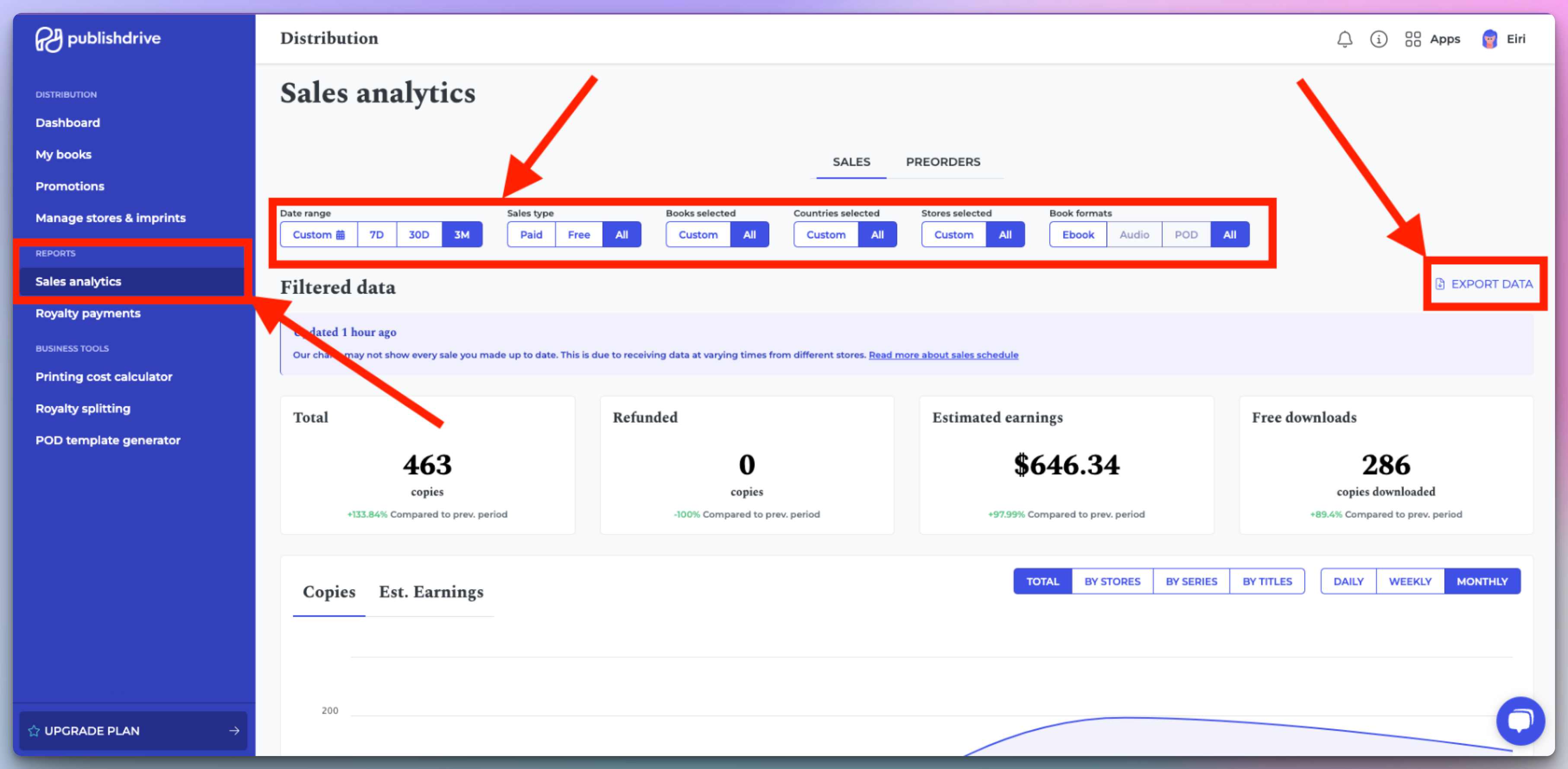
Go to Reports > Sales analytics
-
Make sure you select the Date range you want and select All for all the other filters
-
-
Export the data that you will then need to upload to our platform
-
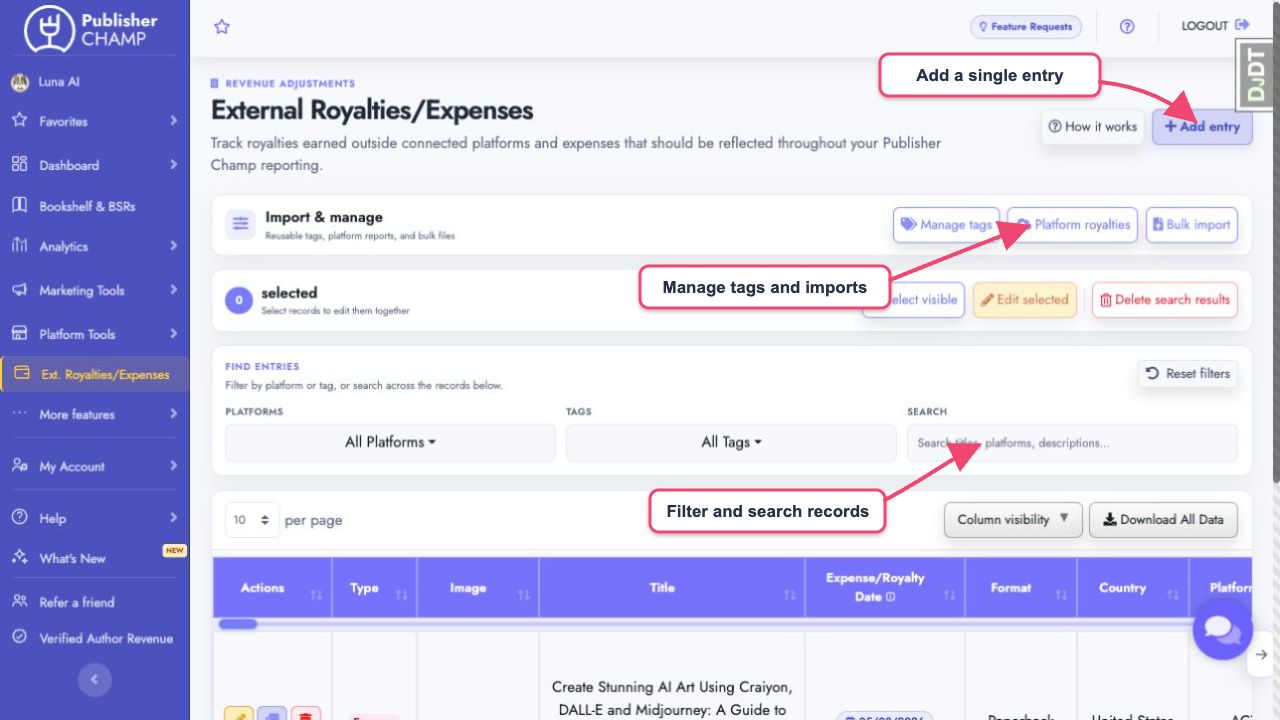
Go to the External Royalties/Expenses page on our platform.
-
Under Import & manage, select Platform royalties.
- Confirm PublishDrive, choose the downloaded report, and select Import Data.
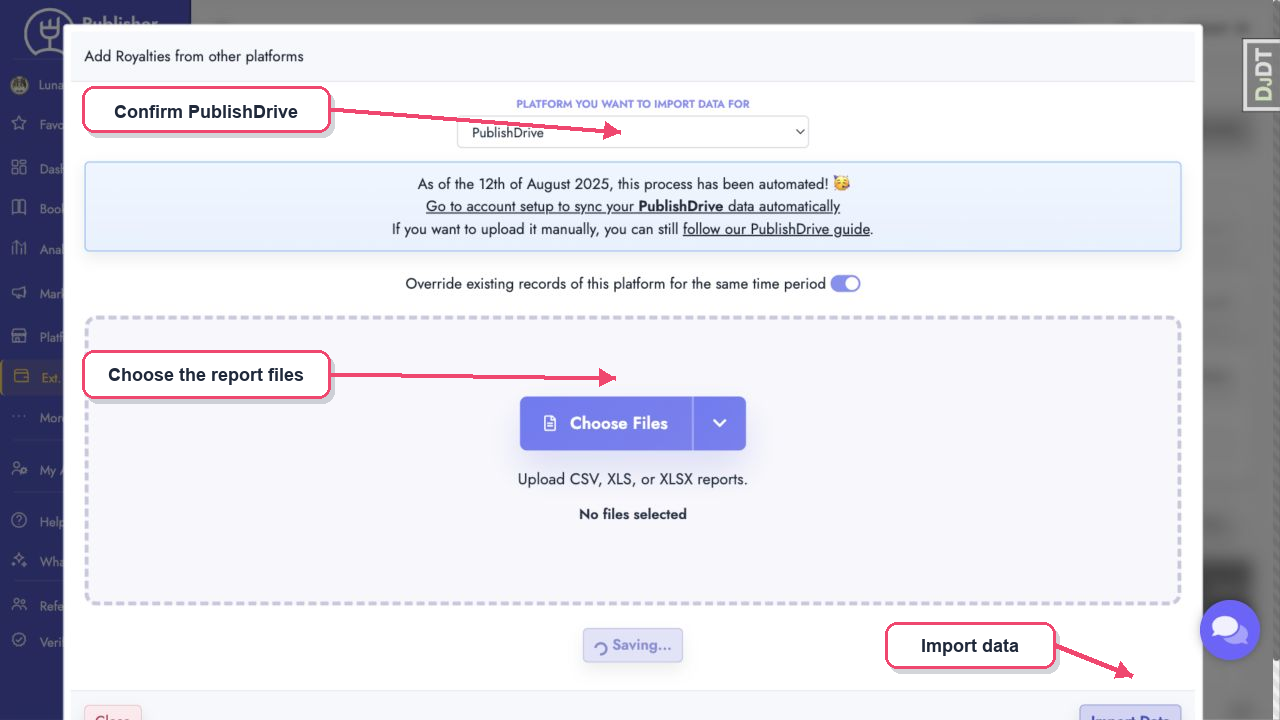
- Let it run for a few seconds and the data should be imported!
tip
If some PublishDrive titles do not match any existing titles, you can merge them by following our guide here.