How to find your BookMundo domain
In this article we will show you how to find the correct BookMundo domain for automatic sync.
info
This is a necessary step that you only need to do once so Publisher Champ knows which BookMundo site to fetch your sales data from.
-
Login to your BookMundo account.
-
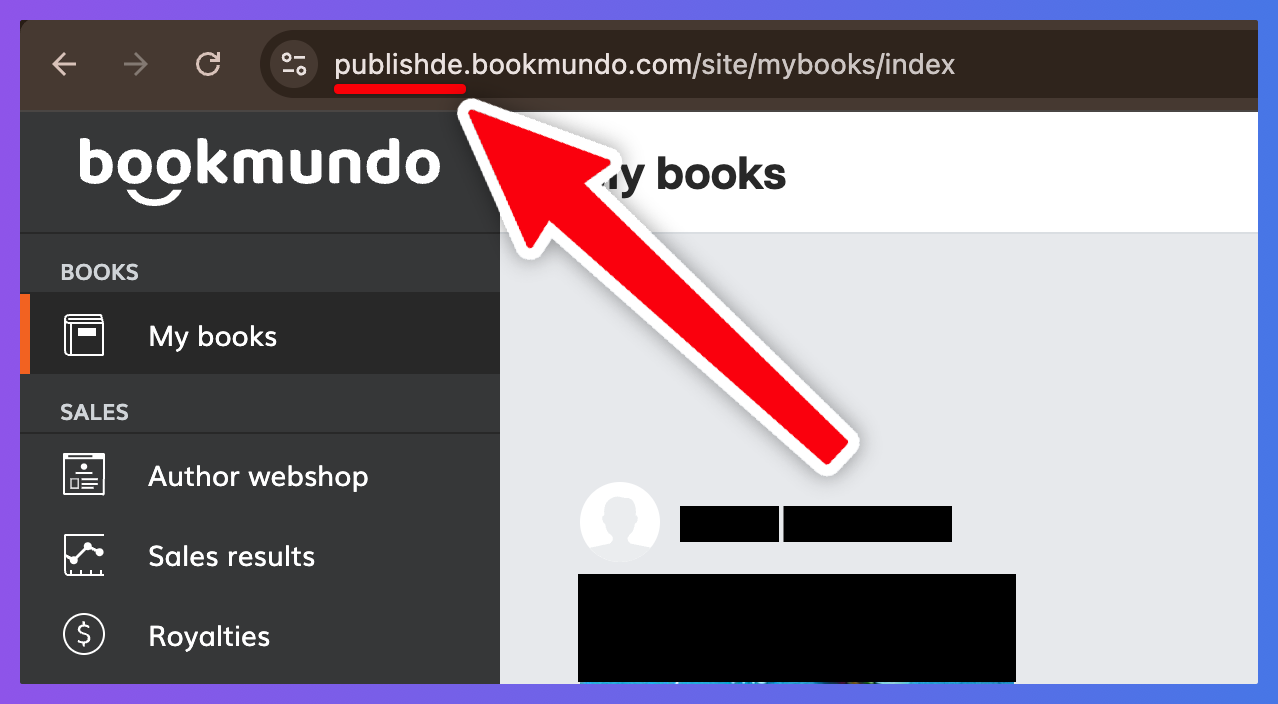
Look at your browser's address bar after you are logged in.
Your domain is the first part of the URL, for example:
publishde.bookmundo.compublishuk.bookmundo.compublishpt.bookmundo.compublishes.bookmundo.compublishnl.bookmundo.compublishfr.bookmundo.com
-
Go to Account Setup in Publisher Champ.
-
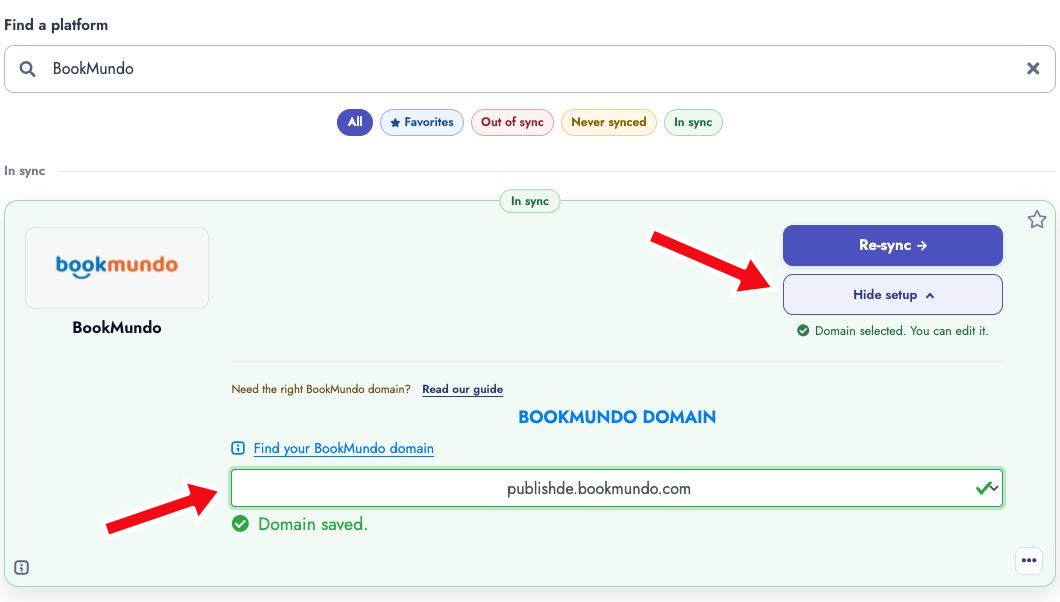
Search for BookMundo, click Show setup beneath the sync button, and select the same domain from the BookMundo domain dropdown.
-
Click Start sync, Sync now, or Re-sync, depending on the card’s status, and follow the login steps.
-
Done!