How to upload your BookMundo data
In this article we will show you the step by step on how you can easily upload your BookMundo data to our platform!
info
BookMundo synchronization can now be automated from Account setup. Use the manual workflow below only when you need to upload a report yourself.
-
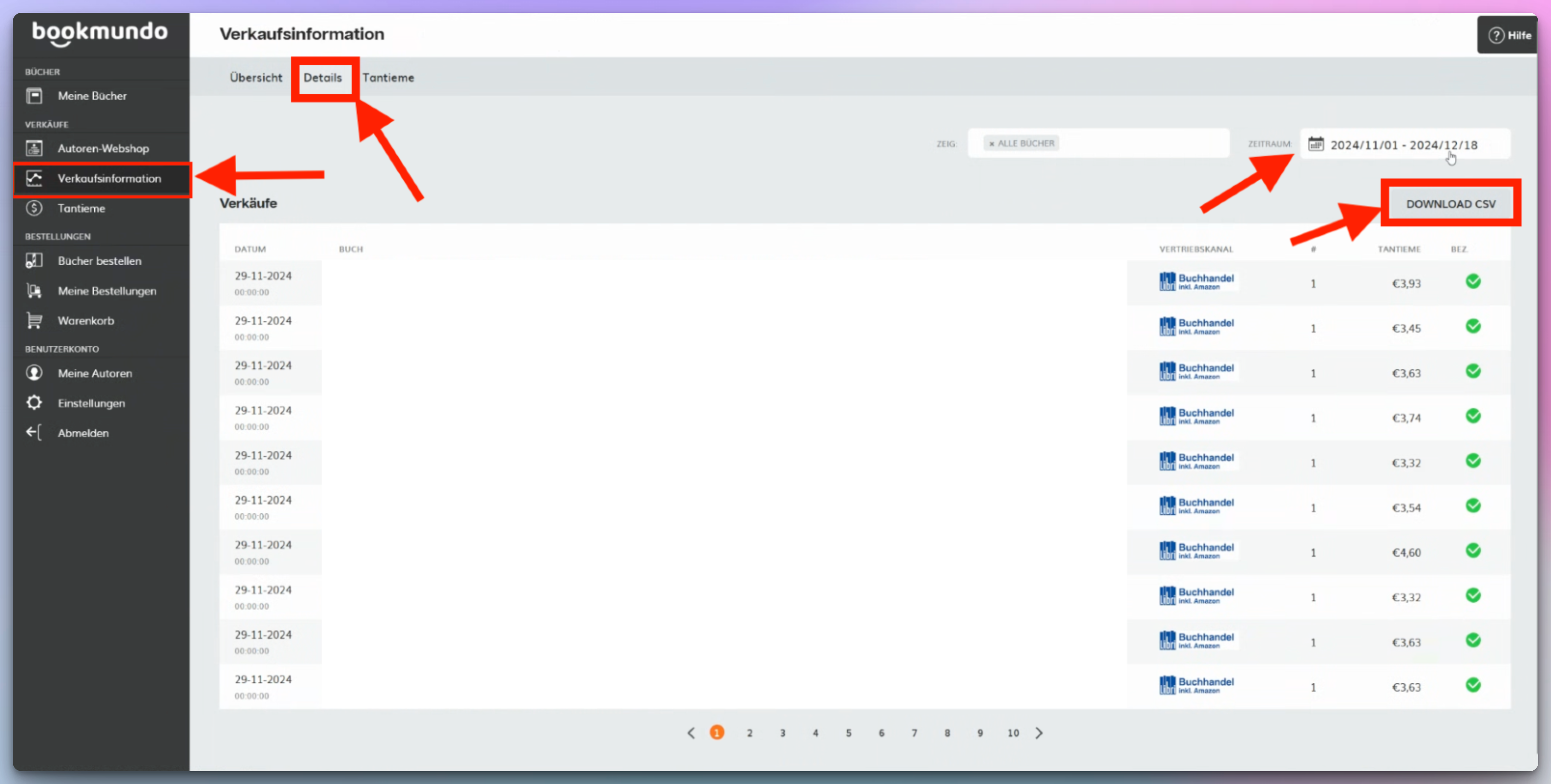
Download the BookMundo sales report from BookMundo by following these steps:
-
Login to your BookMundo account
-
Go to Sales results Page
-
Go to the Details tab
-
Select the time period you want and click the "DOWNLOAD CSV" button
-
-
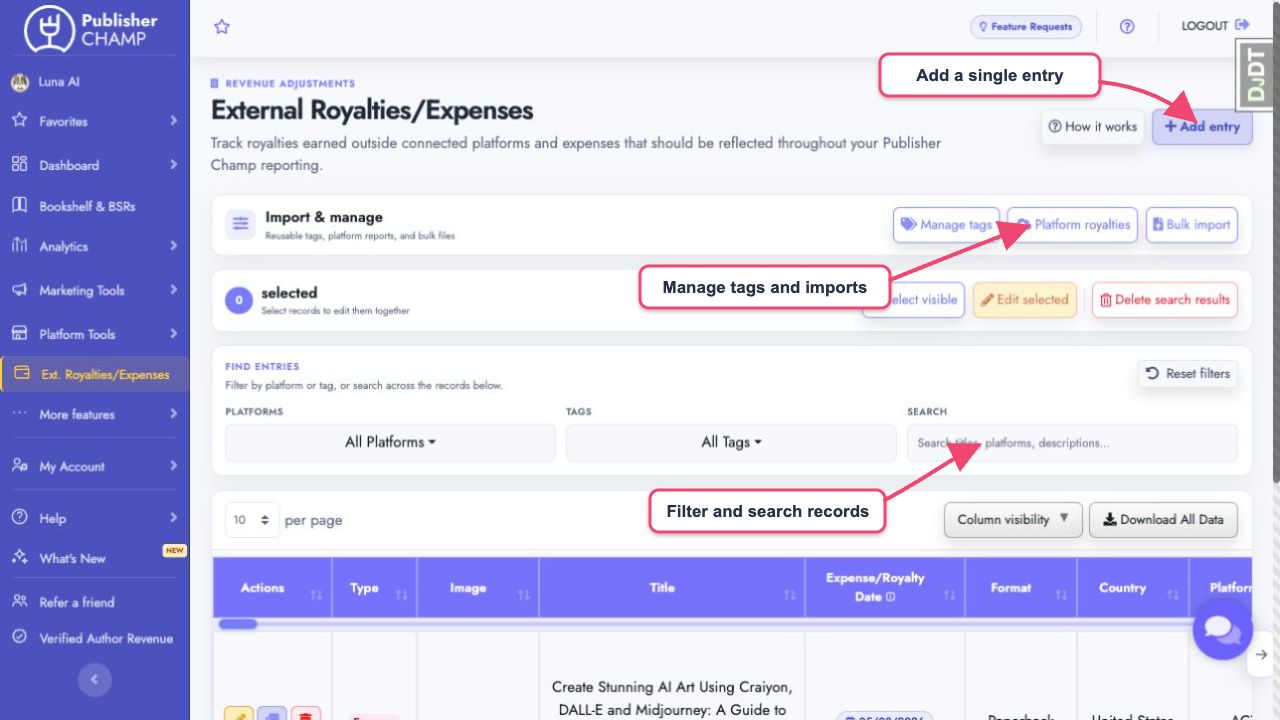
Go to the External Royalties/Expenses page on our platform.
-
Under Import & manage, select Platform royalties.
- Confirm BookMundo, choose the downloaded report, and select Import Data.
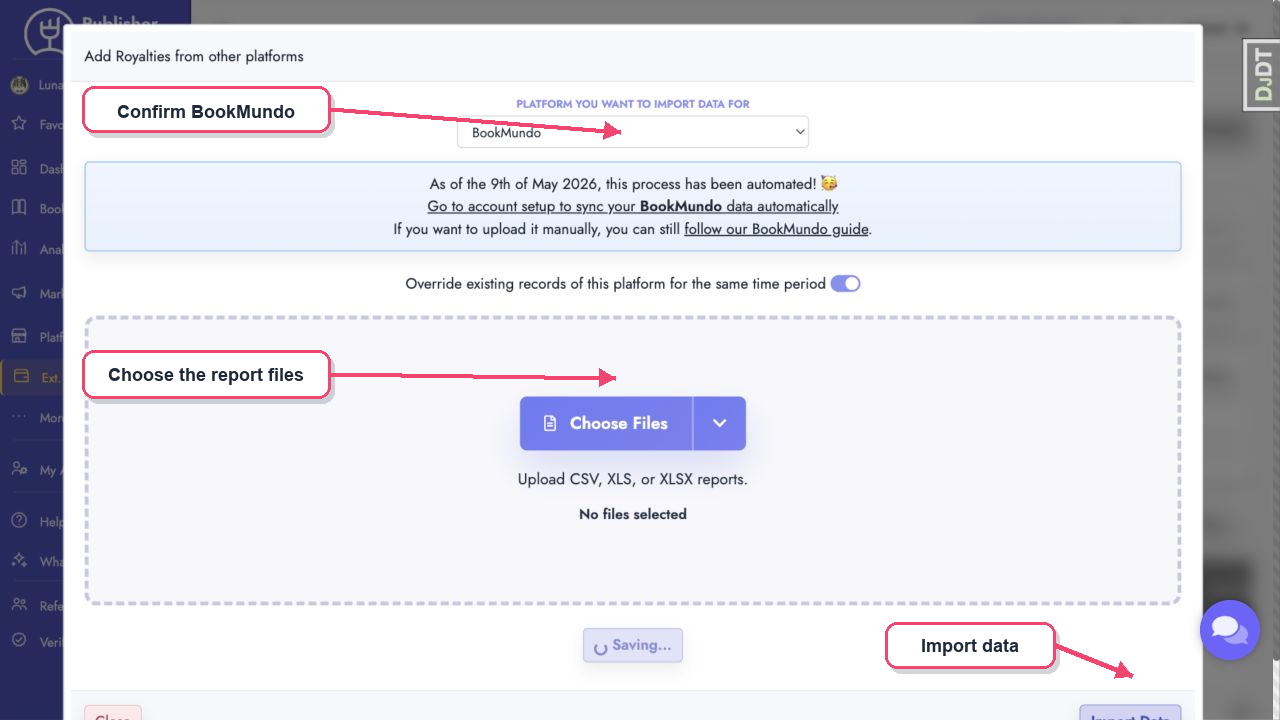
- Let it run for a few seconds and the data should be imported!
tip
If some BookMundo titles do not match any existing titles, you can merge them by following our guide here.