How to analyze your Country stats
Open Analytics in the Publisher Champ sidebar and select Country Stats. Use this page when you want a country or marketplace comparison without building a custom Power Table.
Original vs Converted amounts
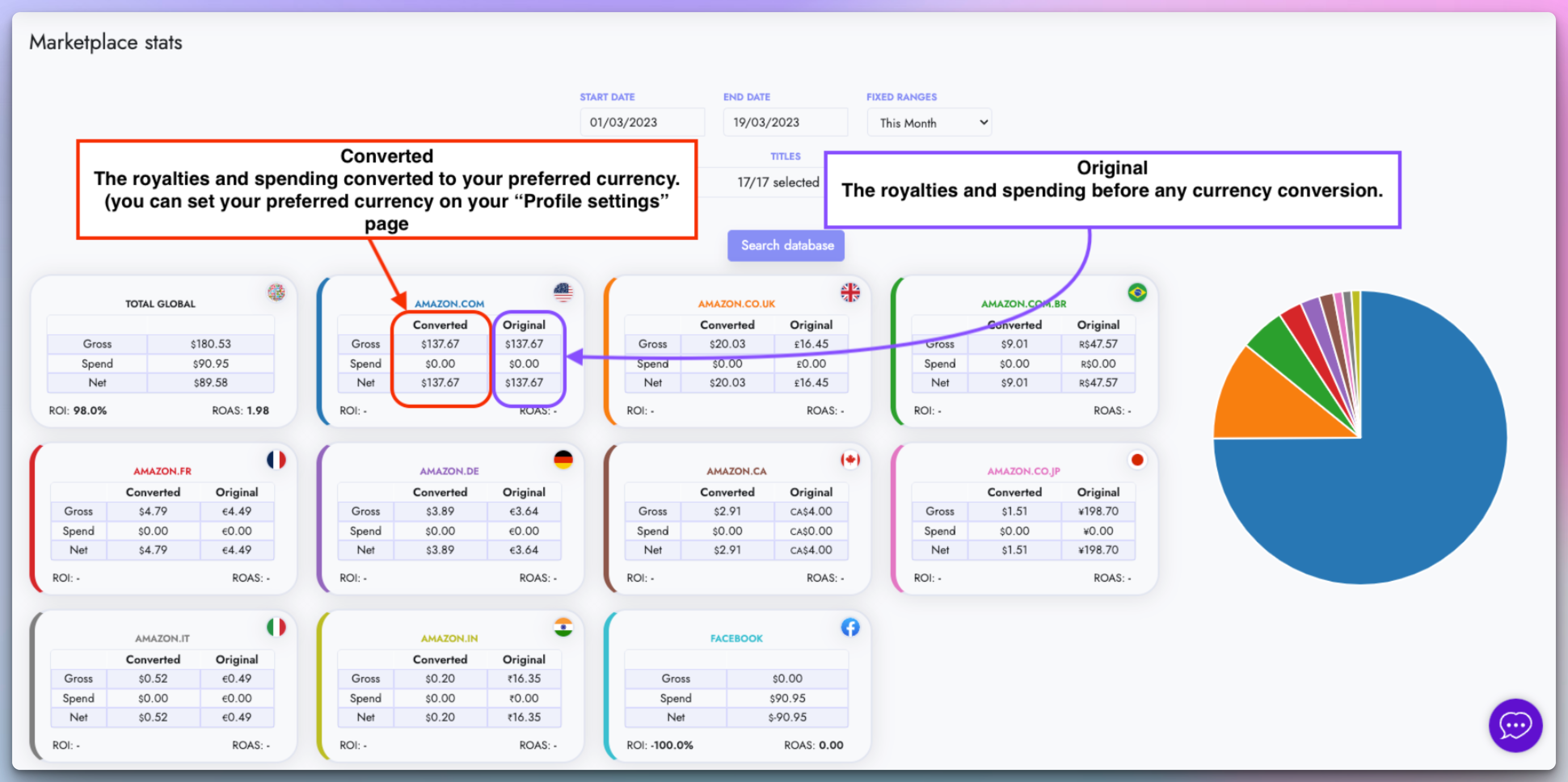
- You can easily check what your Original and Converted royalties are for each country.
- The original amounts help you see the exact amounts you earned and spent on each country before any conversion.
ROI and ROAS Calculations
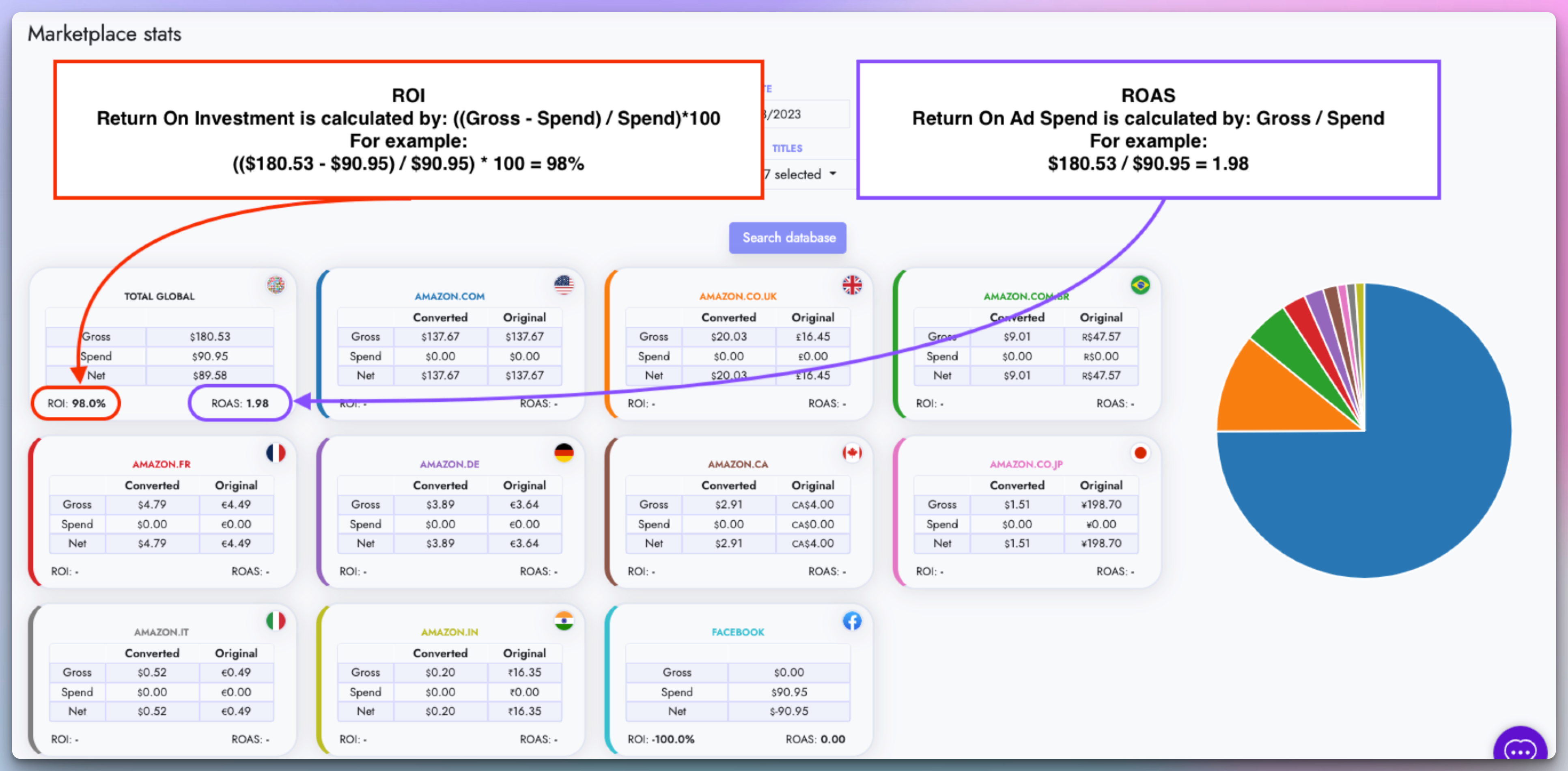
- You can easily check your Return On Investment and Return On Ad Spend for each country or even your Global ROI and ROAS.
World Map
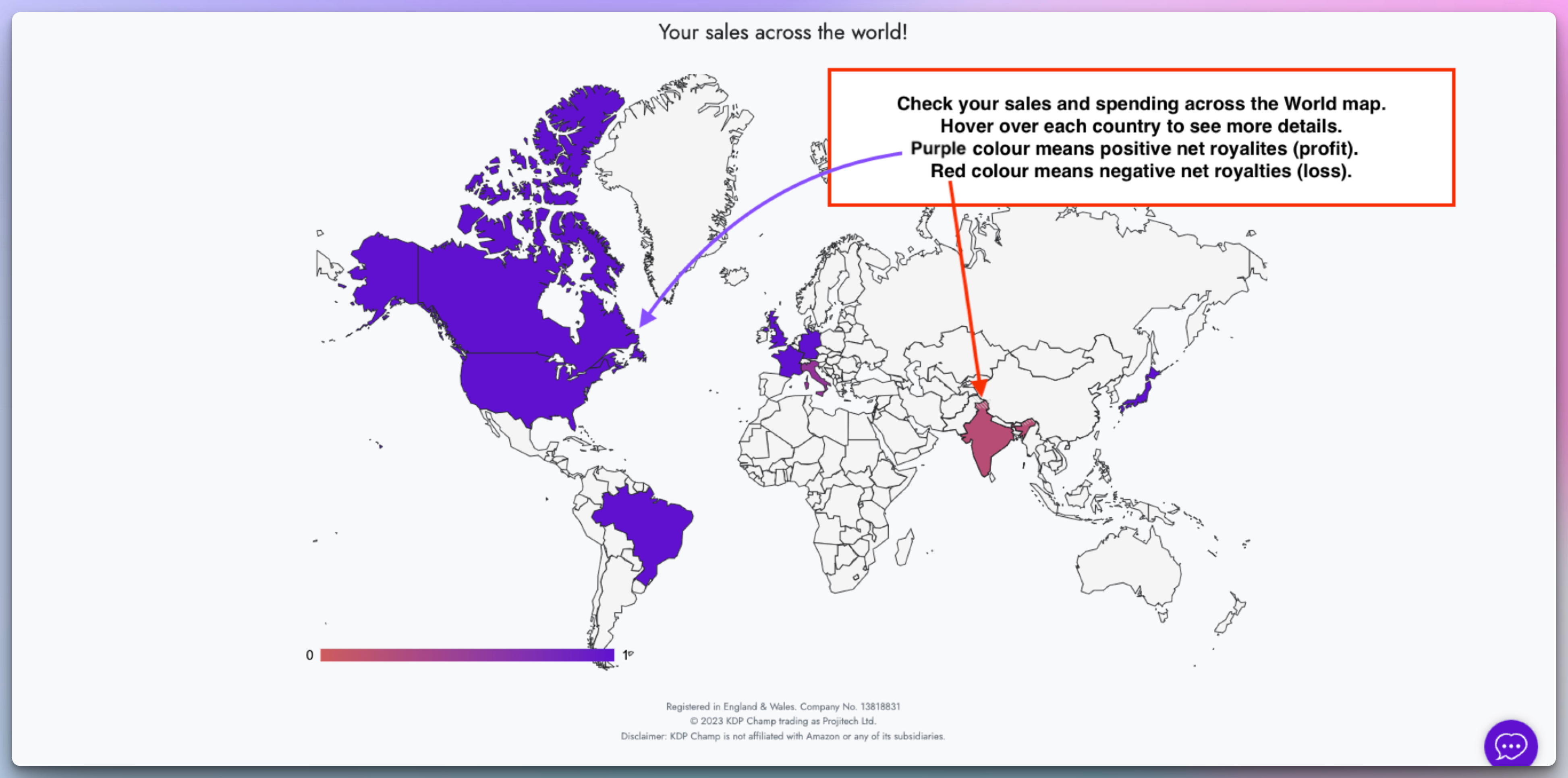
- You can find the world map at the bottom of your Country stats page.
- With the World Map, you can easily visualise where you have the most sales and profits.
- See how you are influencing people across the Globe!