Publisher Champ and Publisher Ads partner to bring real royalties into your advertising decisions
We are excited to announce our partnership with Publisher Ads, bringing Publisher Champ's publishing data directly into your Amazon advertising workflow.
You can now connect Publisher Champ from your Publisher Ads dashboard to see your KDP royalties, Kindle Unlimited page reads, and organic sales alongside your ads. This gives you a clearer picture of what your books earn after advertising costs, across your catalog and for each individual book.
What is Publisher Ads
Publisher Ads is Amazon Ads software built for authors and publishers. It helps you launch Sponsored Products campaign stacks, research keywords with AI, find promising search terms, and identify wasted spend across your KDP catalog.
Connecting Publisher Champ adds your publishing results to that workflow, helping you assess advertising performance with actual royalty data.
Why royalties make the difference
Amazon Ads sales and ACoS tell you how your advertising is performing, but advertising sales are not the same as the royalties you receive. Organic sales and Kindle Unlimited reading also contribute to your books' earnings.
Publisher Champ supplies the publishing data; Publisher Ads brings it together with your ad spend. You can see royalties minus advertising costs, giving you more context when deciding which books to support, which campaigns to review, and where spending needs attention.
The profit figures described below mean royalties minus ad spend. Other publishing expenses are separate.
Connect directly from Publisher Ads
1. Start from your Home page
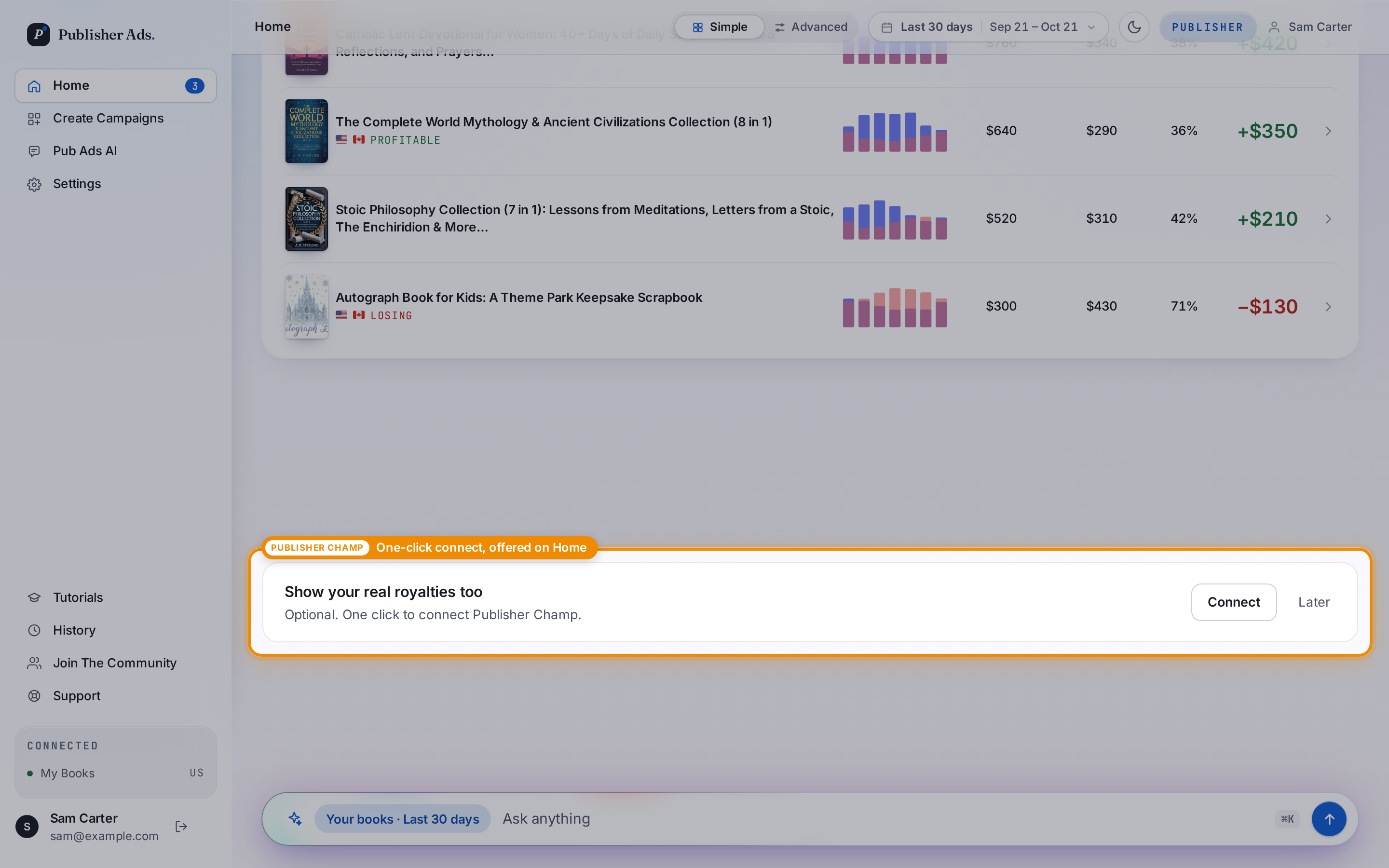
If you have not connected Publisher Champ, look for the Show your real royalties too card on your Publisher Ads Home page and click Connect.
2. Approve the connection
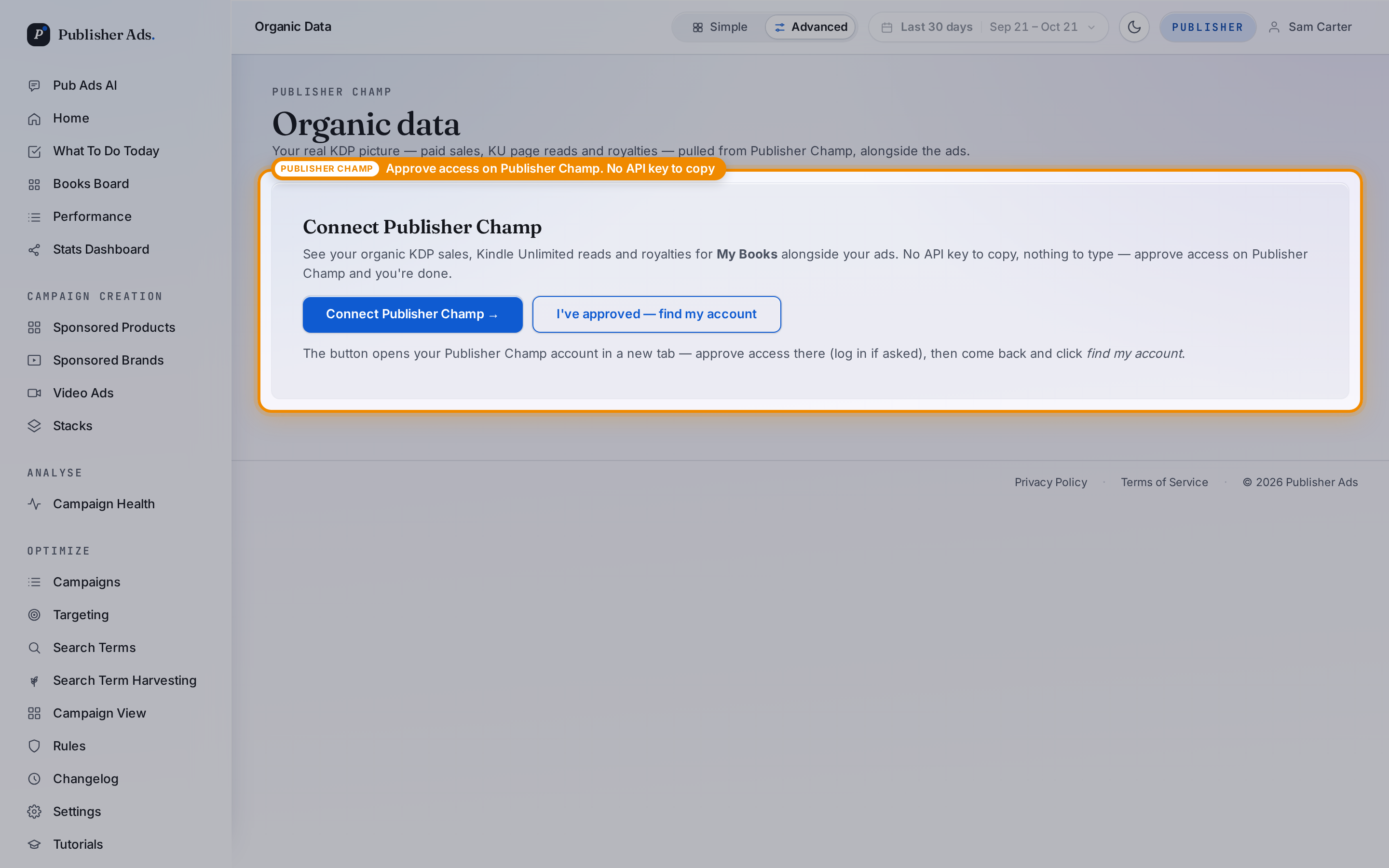
Click Connect Publisher Champ. Publisher Champ opens in a new tab, where you can sign in if needed and approve access. Return to Publisher Ads and click find my account to complete the connection. There is no API key to copy or paste.
The connection gives Publisher Ads read-only access to your Publisher Champ sales data. You can revoke that access in Publisher Champ under My account → Settings → API Access.
Your publishing data alongside your ads
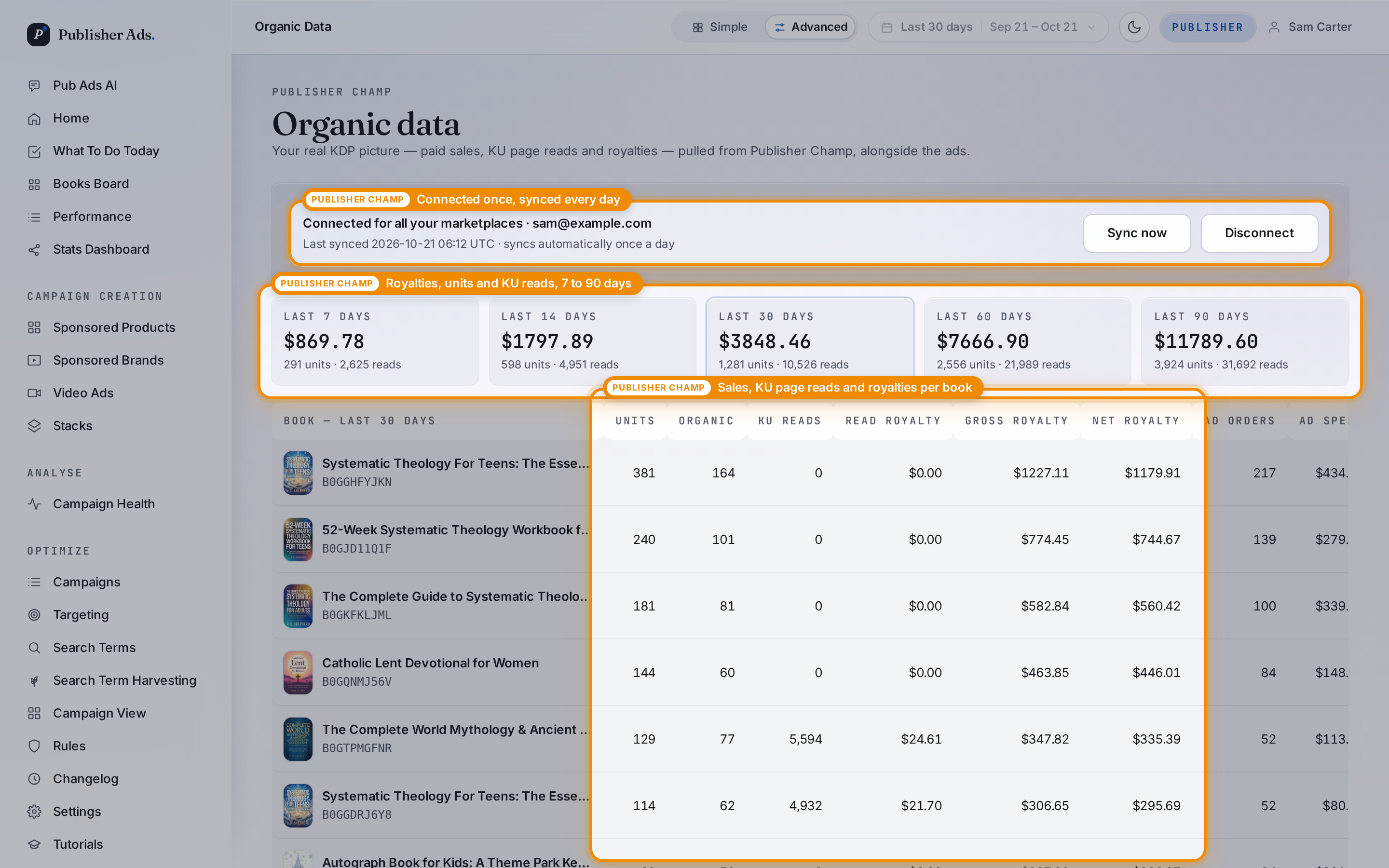
Once connected, the Organic Data page shows royalties, units, Kindle Unlimited page reads, and organic sales for each book. Summary periods range from 7 to 90 days, making it easier to review recent results alongside a longer view.
The connection syncs automatically each day. The page shows your connection status and last sync, with a Sync now control when you want to request an update.
See what your books earn after ad spend
Profit at a glance on Home
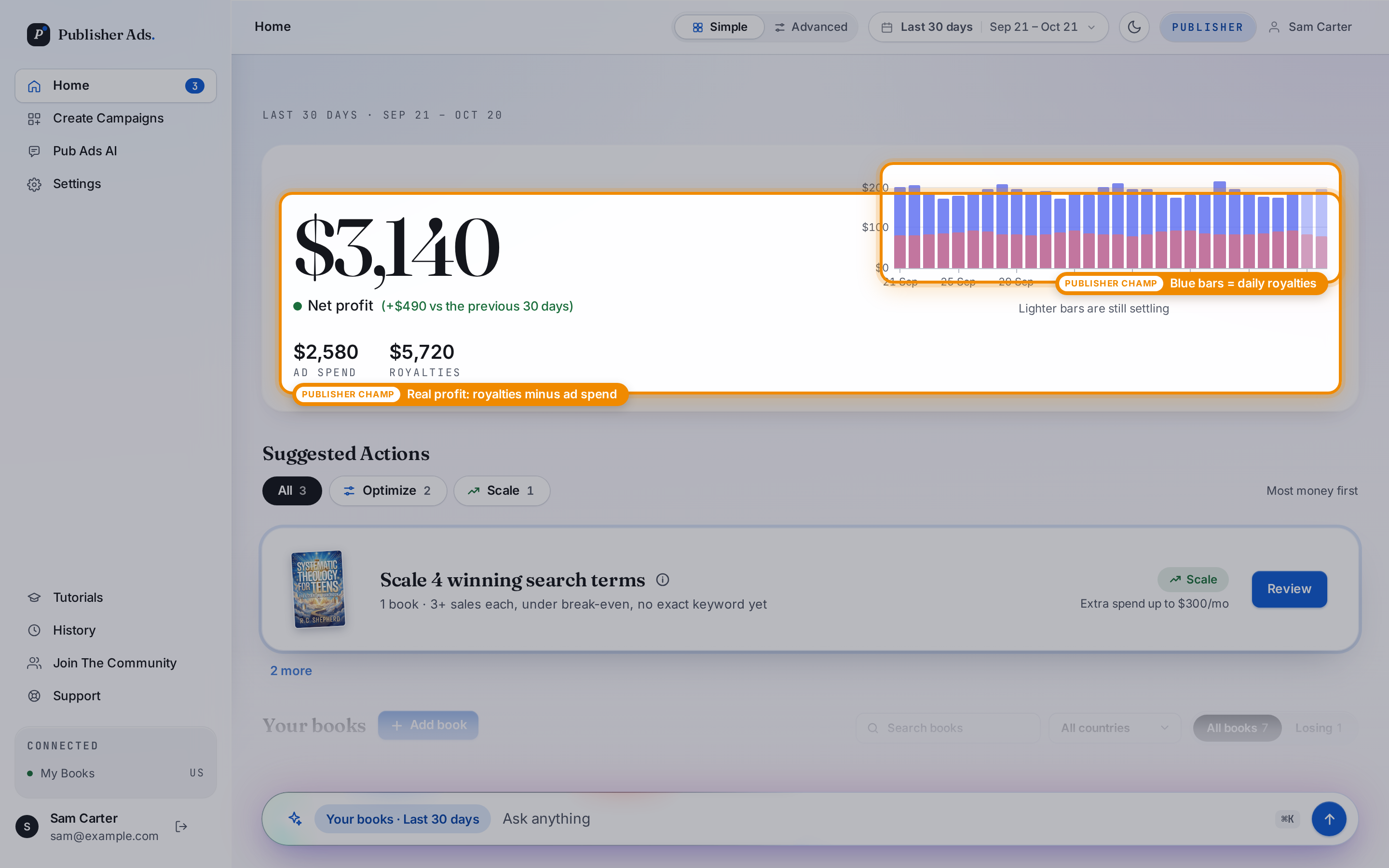
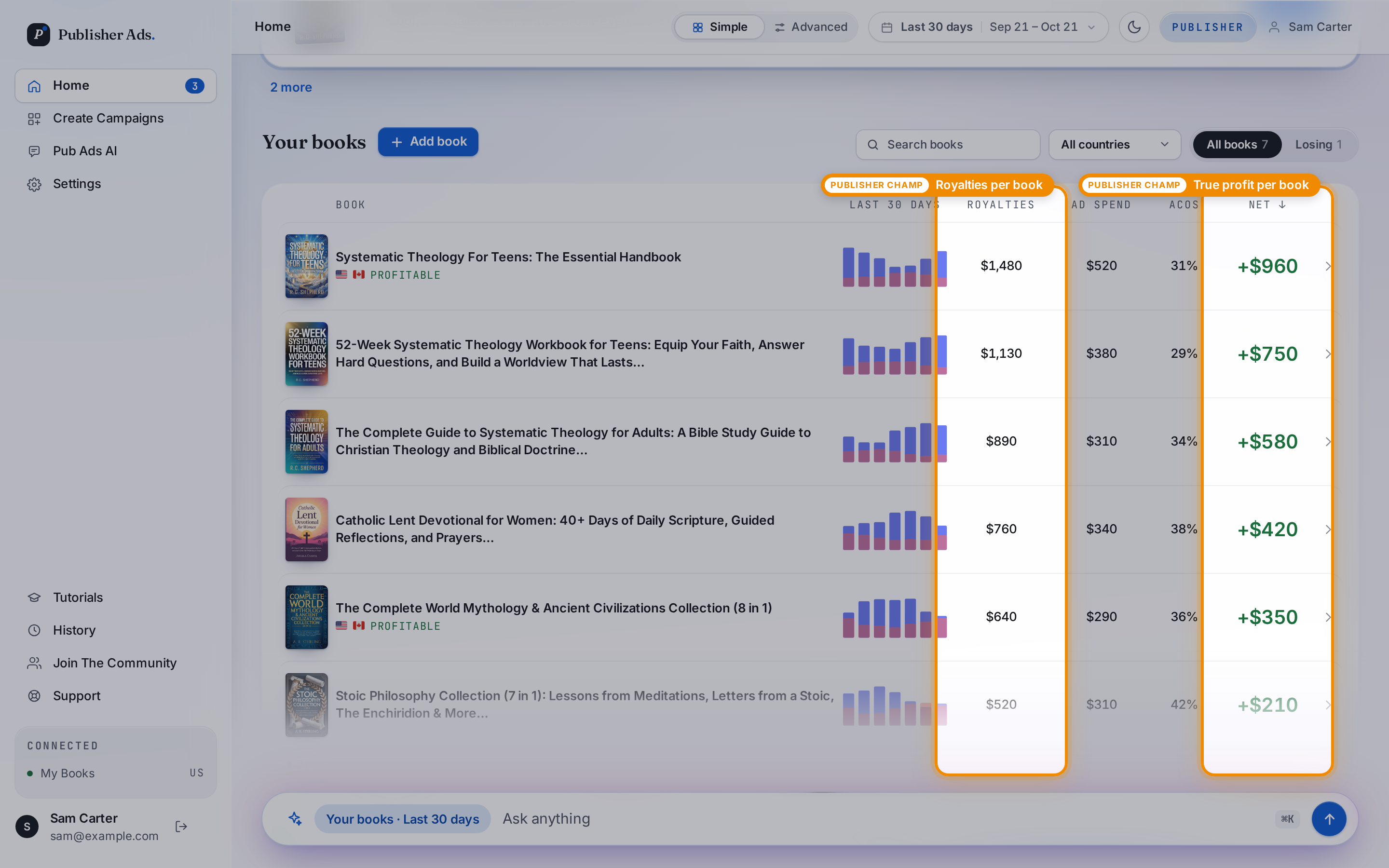
With Publisher Champ connected, your Home page shows net profit calculated from royalties minus ad spend. The daily chart puts royalty earnings beside advertising costs so you can see how they compare over the selected period.
Compare individual books
The Your books list brings royalties, ad spend, ACoS, and profit after advertising together for each title. This helps you spot books contributing to your earnings and books whose advertising costs need a closer look.
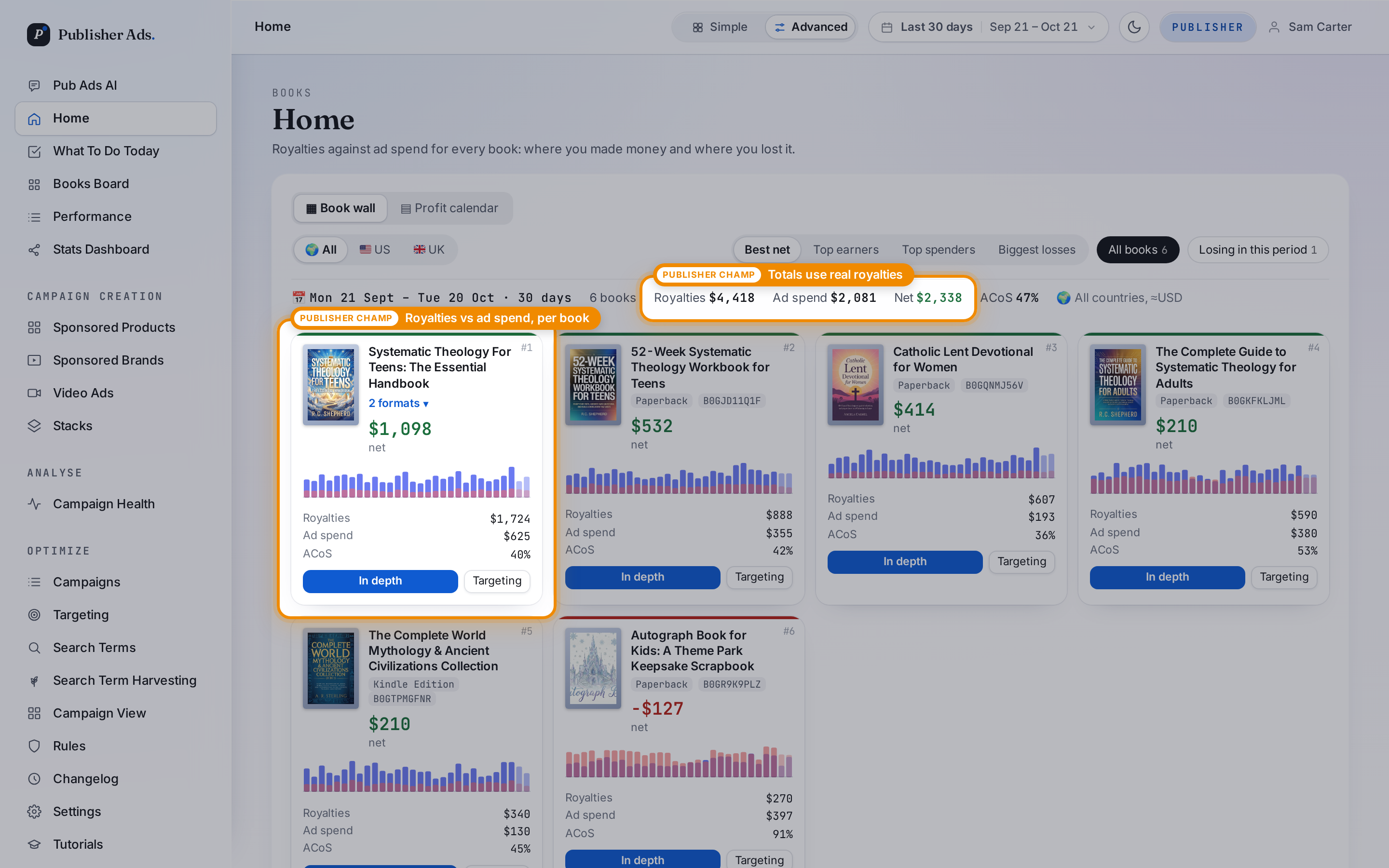
Explore the Book wall in Advanced view
Prefer a visual overview? The Book wall in Advanced view gives each book its own card, combining its formats and showing royalties, ad spend, and net profit. You can compare titles across your catalog and open a book for more detail.
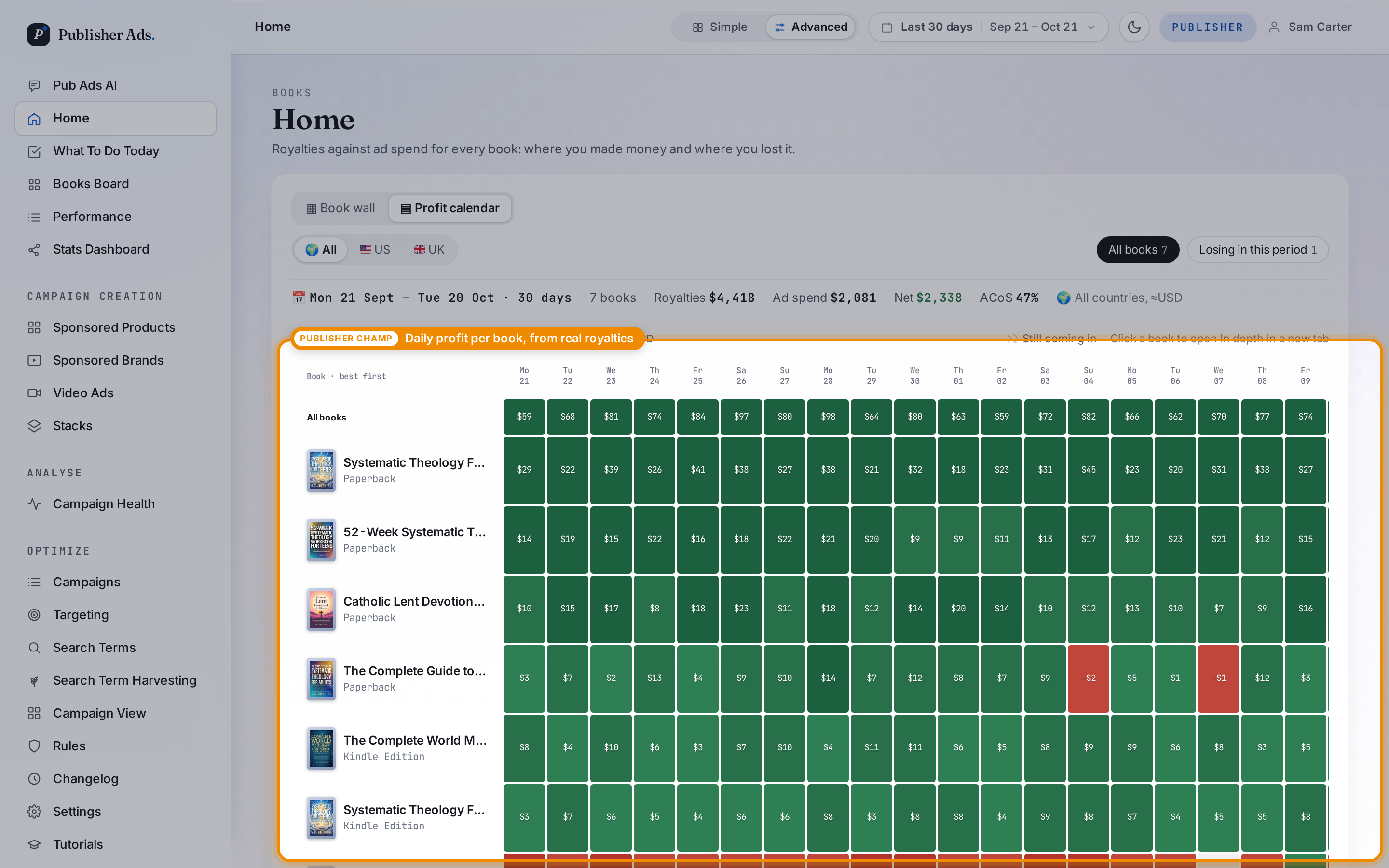
Find patterns in the Profit calendar
The Profit calendar shows profit after ad spend for each book, each day. Losing days appear in red, helping you identify when advertising costs outpaced royalty earnings and where to investigate further.
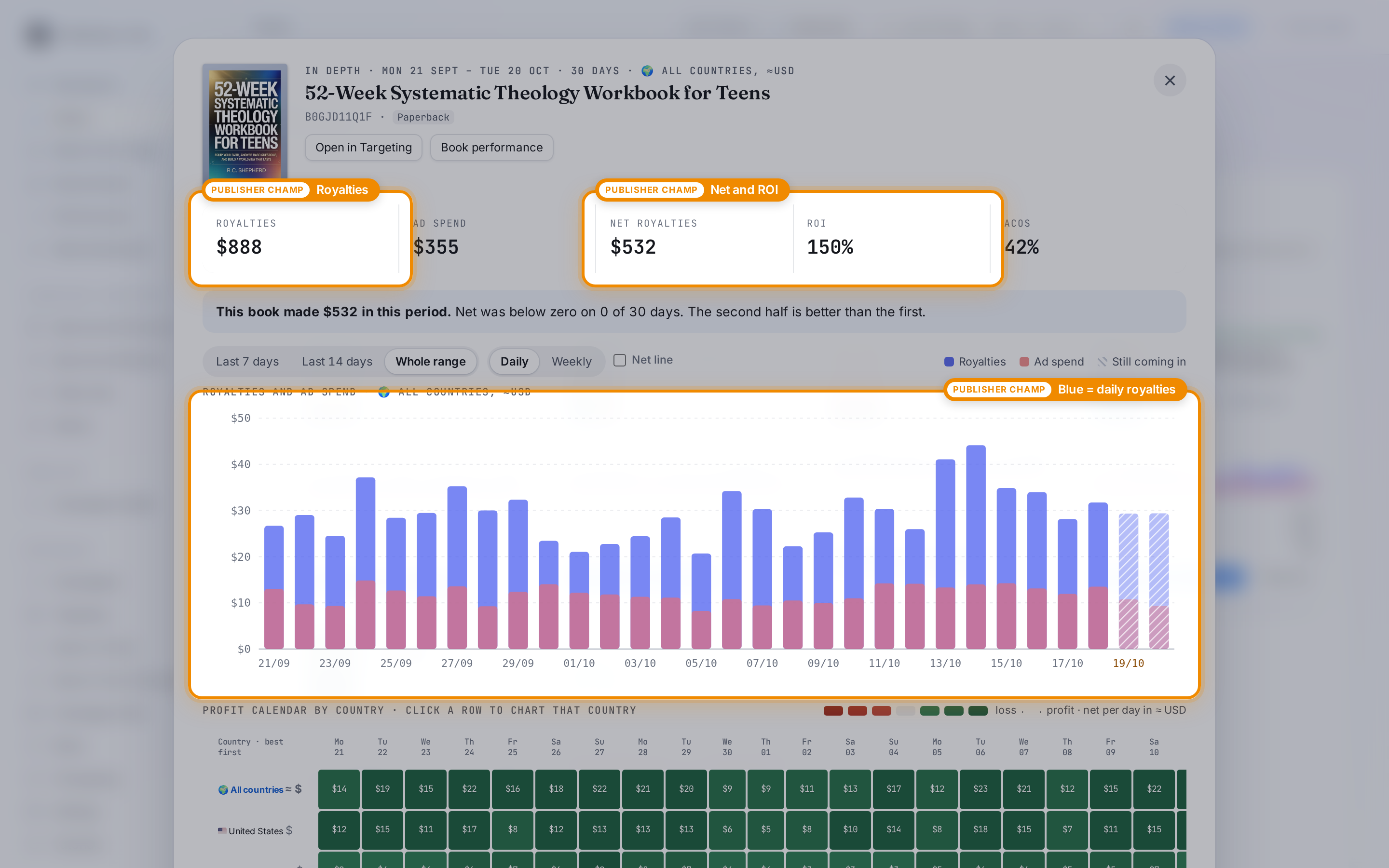
Take a closer look at one book
Open a book's In depth view to see its royalties, net profit, and ROI, together with a daily comparison of royalties and ad spend. This helps you move from a catalog overview to understanding an individual title's results.
Screenshots show the Publisher Ads app in October 2026. Orange highlights identify where Publisher Champ data is used. Sales and royalty figures are examples.
Get started
Connect Publisher Champ from your Publisher Ads Home page to bring your publishing results into your advertising decisions. To explore its campaign and reporting tools, learn more about Publisher Ads.