

How to set up your Publisher Champ Account with our Mozilla Firefox Addon
Steps to setup your account (with screenshots)
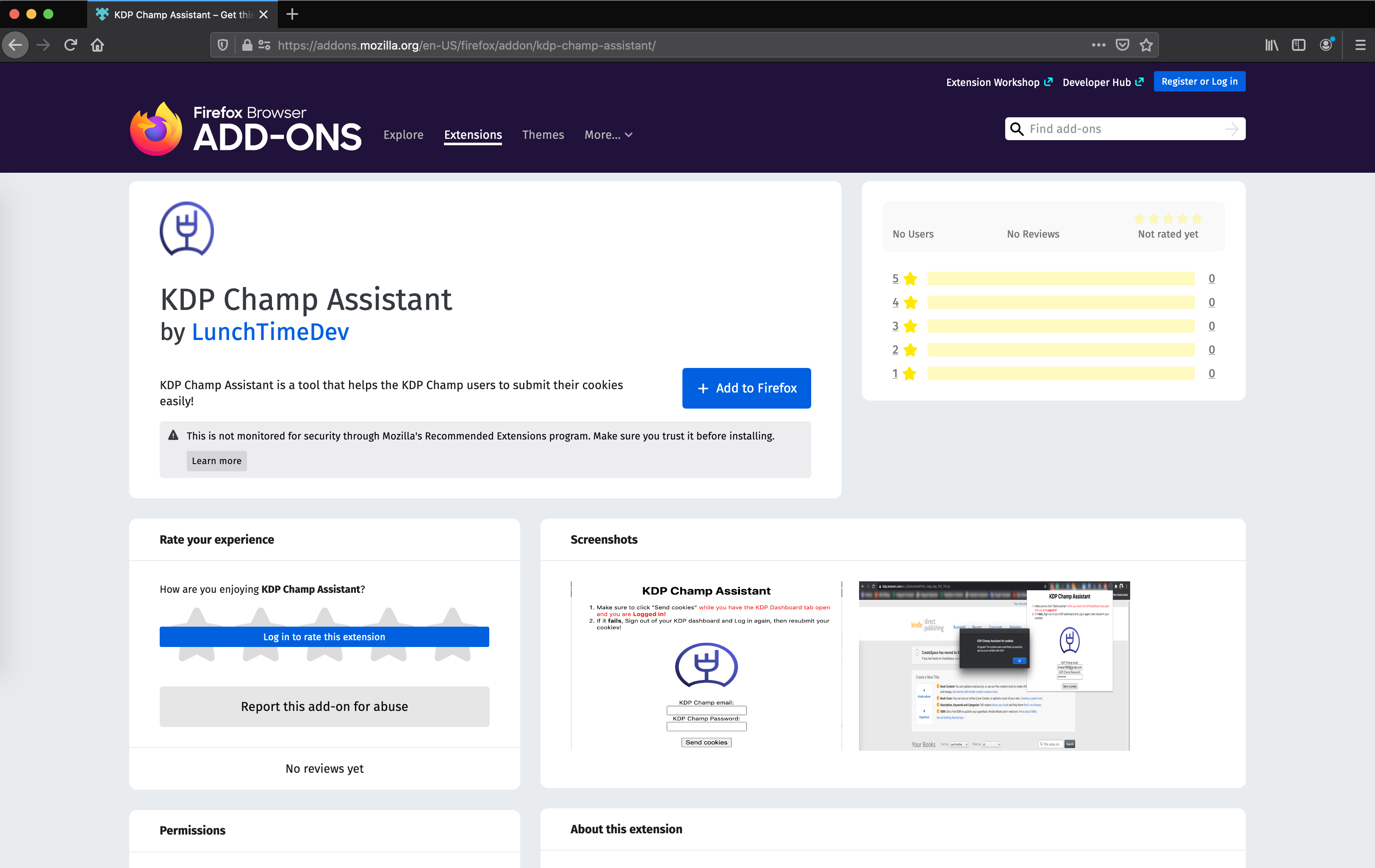
Step #1: Download and Install Publisher Champ Assistant Mozilla Firefox addon

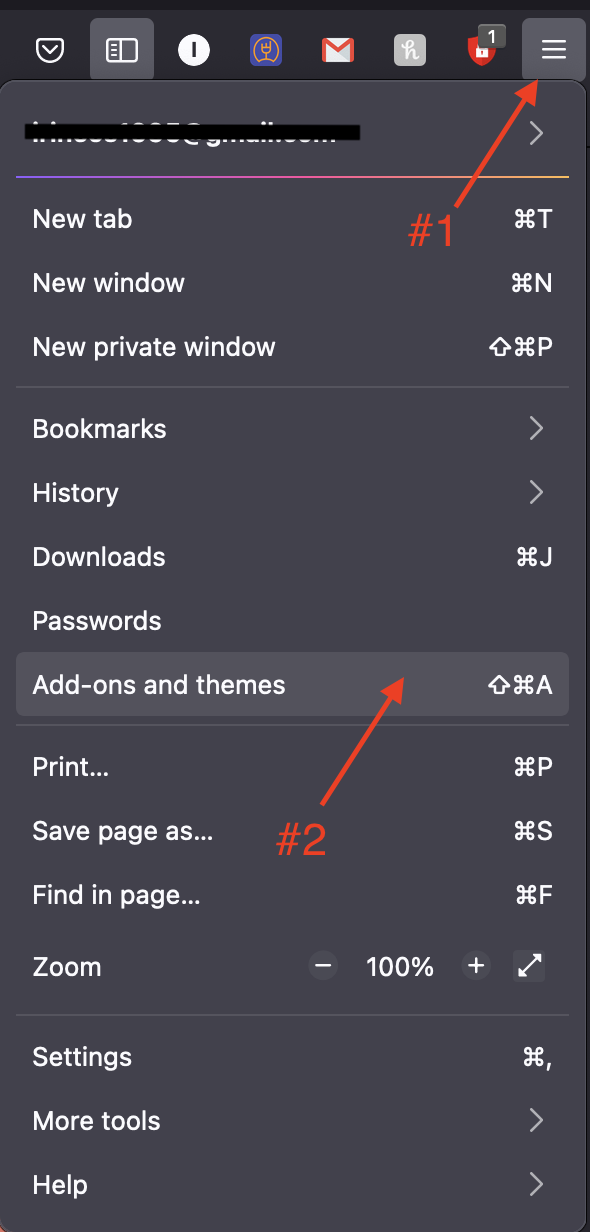
Step #2: Enable Addon to run on private windows
Find your addons
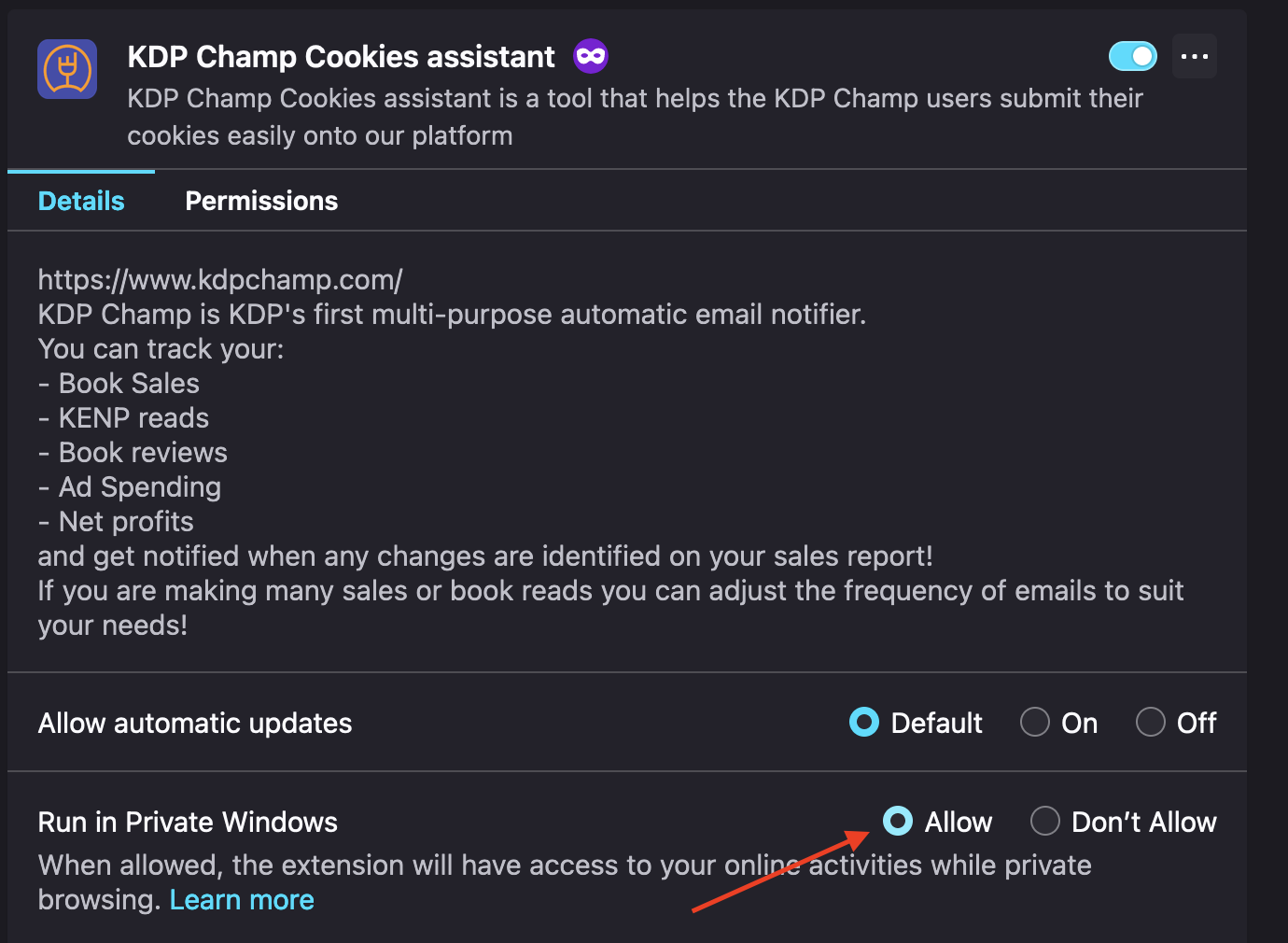
Manage addon details

Allow in private windows
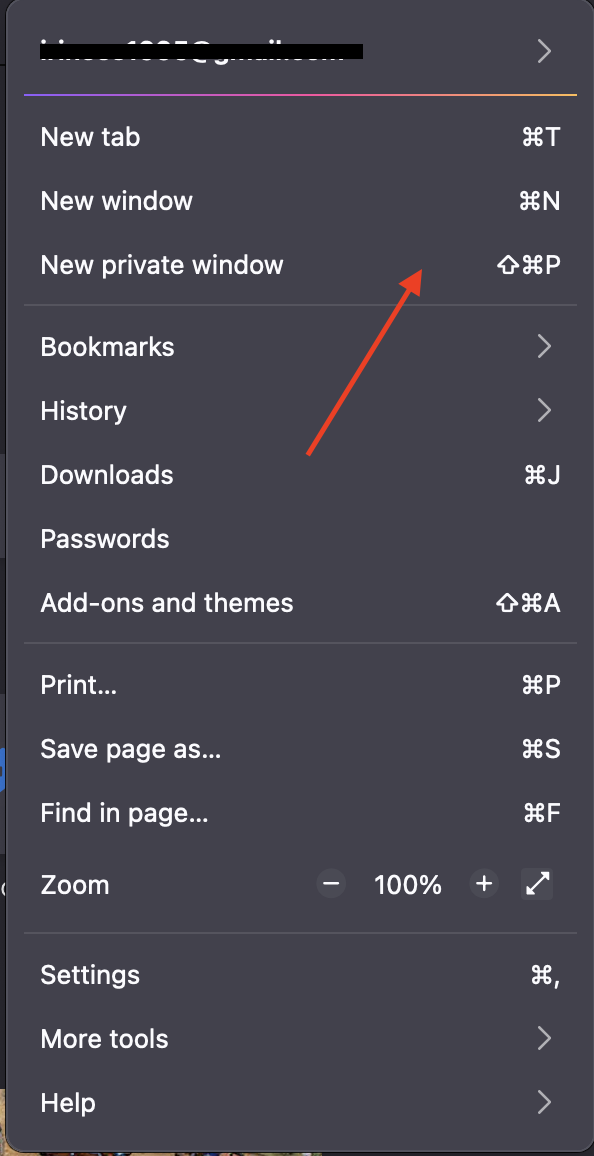
Step #3: Open your browser in private mode
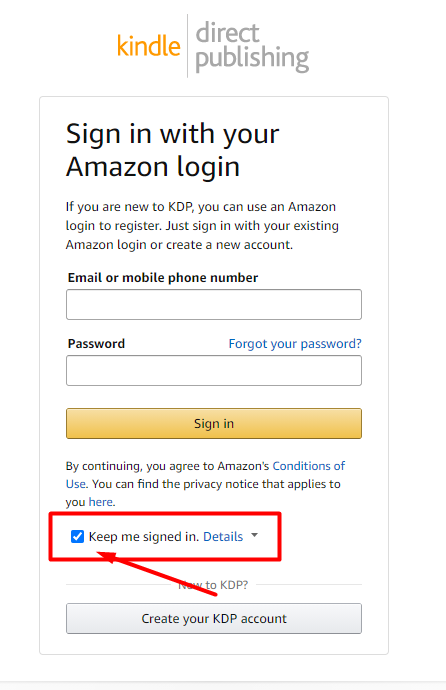
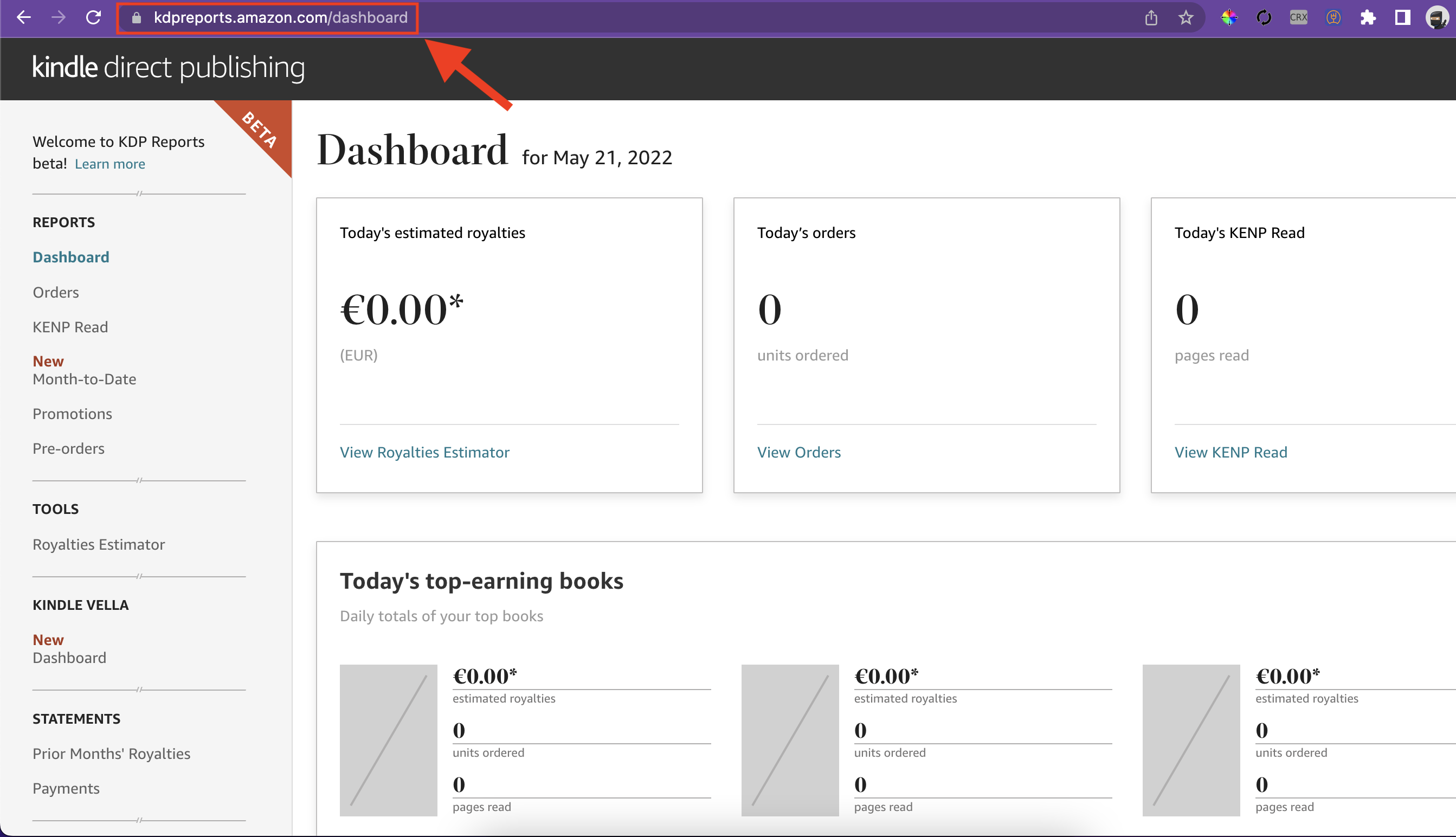
Step #4: Login to your Amazon KDP Reports page
Login to your KDP Reports Page as shown below
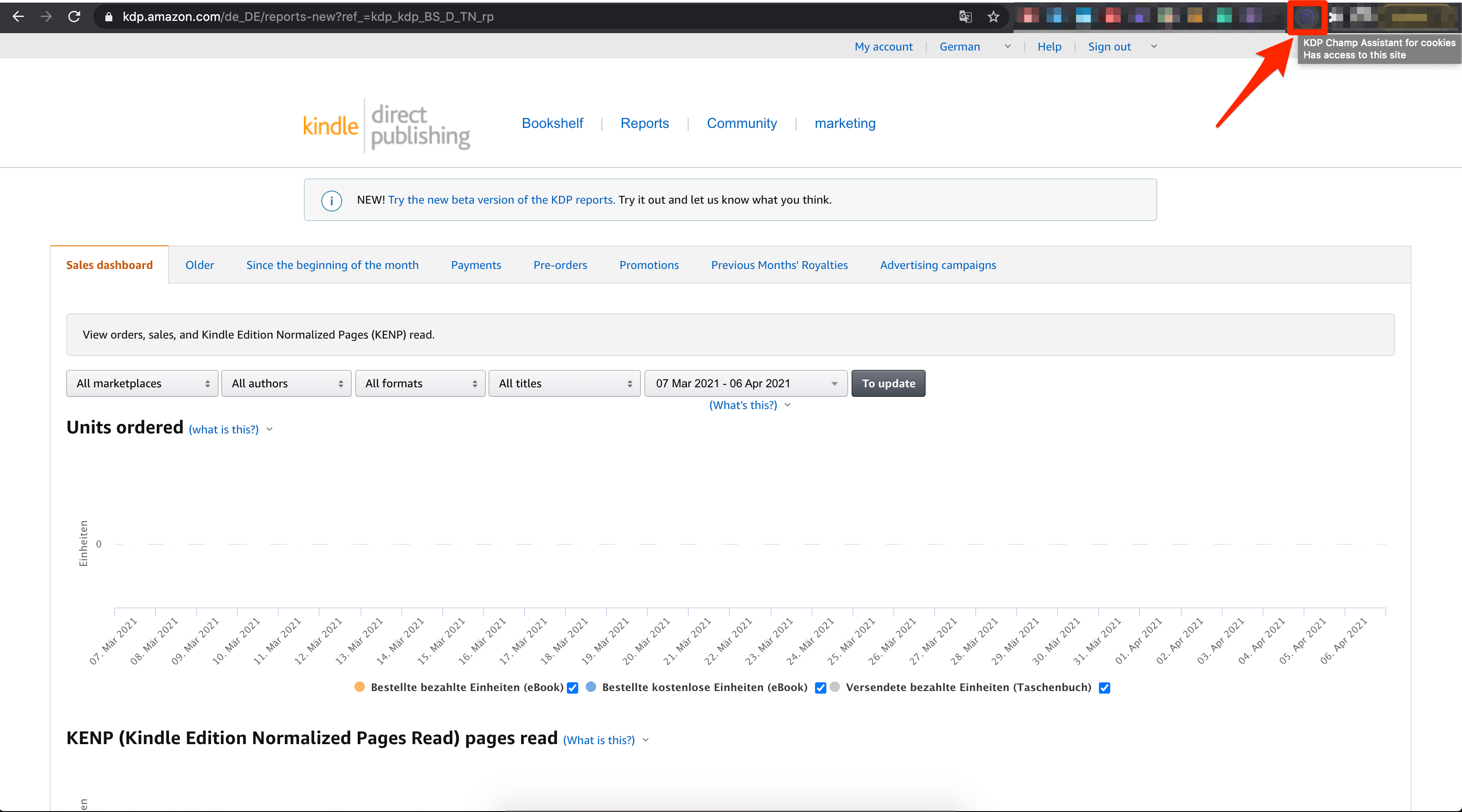
Step #5 Locate the Extension
Open the Publisher Champ Assistant Extension
Step #6: Submit your cookies
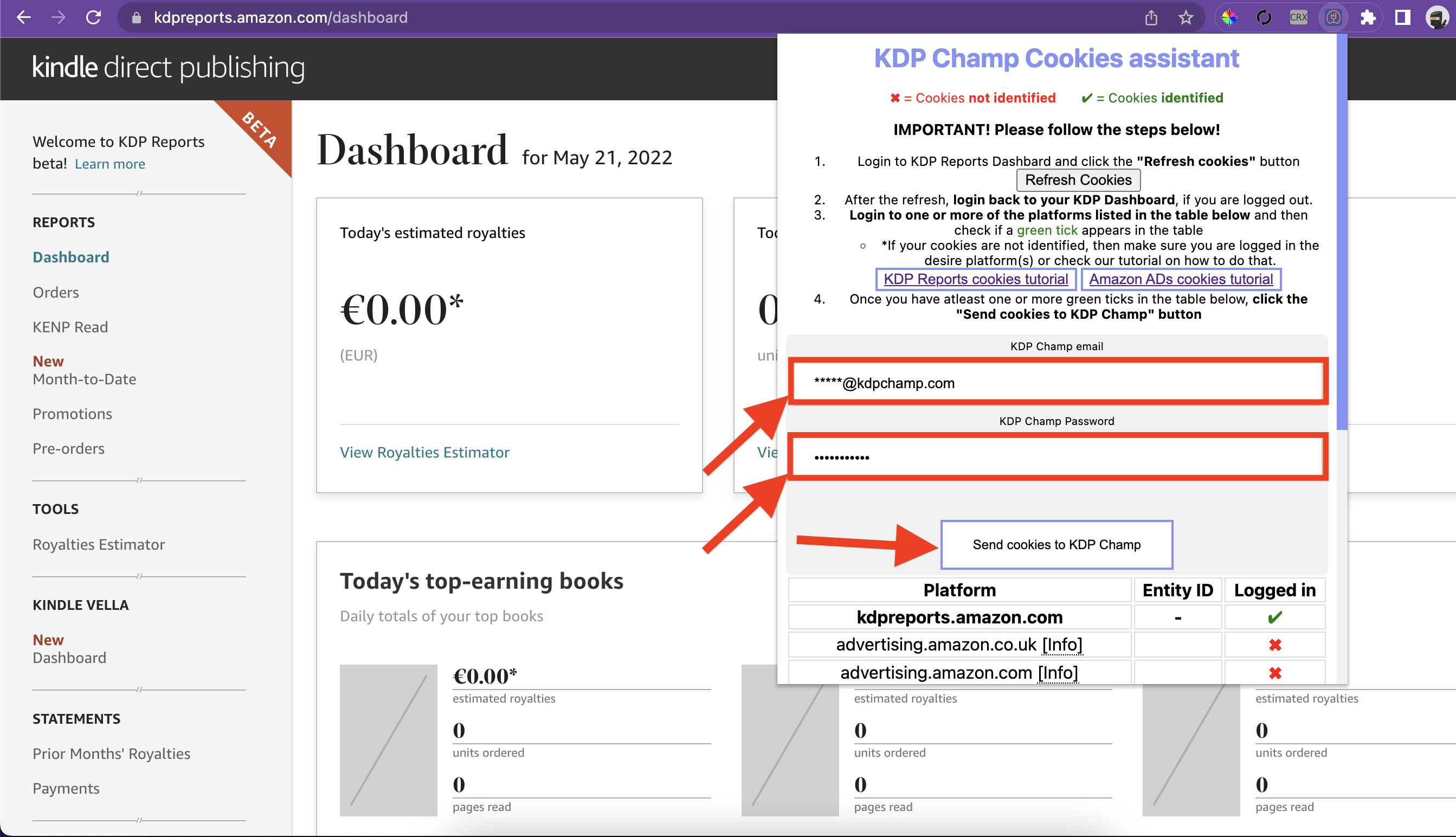
Navigate to your KDP Reports page and open the extension
Enter your Publisher Champ credentials
Click "Send cookies to Publisher Champ"
Give it a few seconds ⌛...
Step #7: Done!
If you see "Congrats! The cookies were submitted successfully and account verified with KDP!", it means that you are done. You can then go to your Publisher Champ profile and fully setup your account to suit your needs!
Otherwise, logout from your Amazon KDP Dashboard, login again and try re-submitting your cookies!
