How to upgrade to Champ Ultra
Champ Ultra includes personal API access, Luna AI and MCP connections, one sponsored Shared Access seat, and every Champ Plus benefit.
This guide explains how to upgrade an existing web subscription managed through Stripe. If you do not have a paid subscription yet, open the Publisher Champ pricing page and select a Champ Ultra plan directly.
1. Open your Membership page
- Sign in to Publisher Champ.
- Open My Account in the sidebar.
- Select Membership.
- Select Manage subscription.

If Manage subscription is not shown, your subscription may be billed through Apple. Contact Publisher Champ support or use the in-app live chat for help moving to a web subscription and upgrading to Ultra.
2. Update your subscription
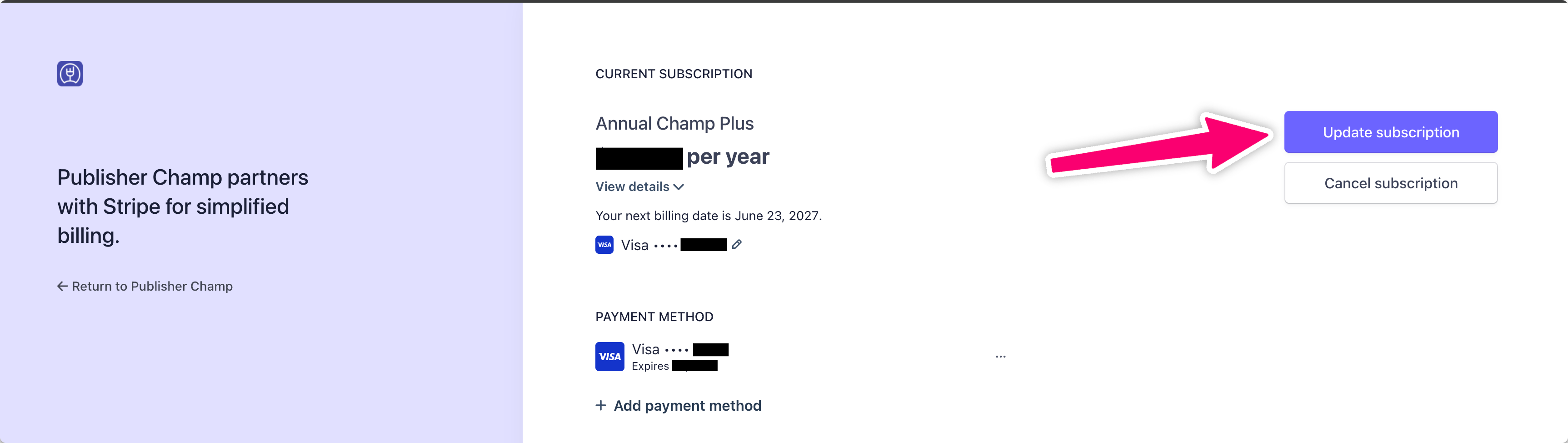
In the Stripe billing portal, select Update subscription beside your current plan.
3. Select Champ Ultra
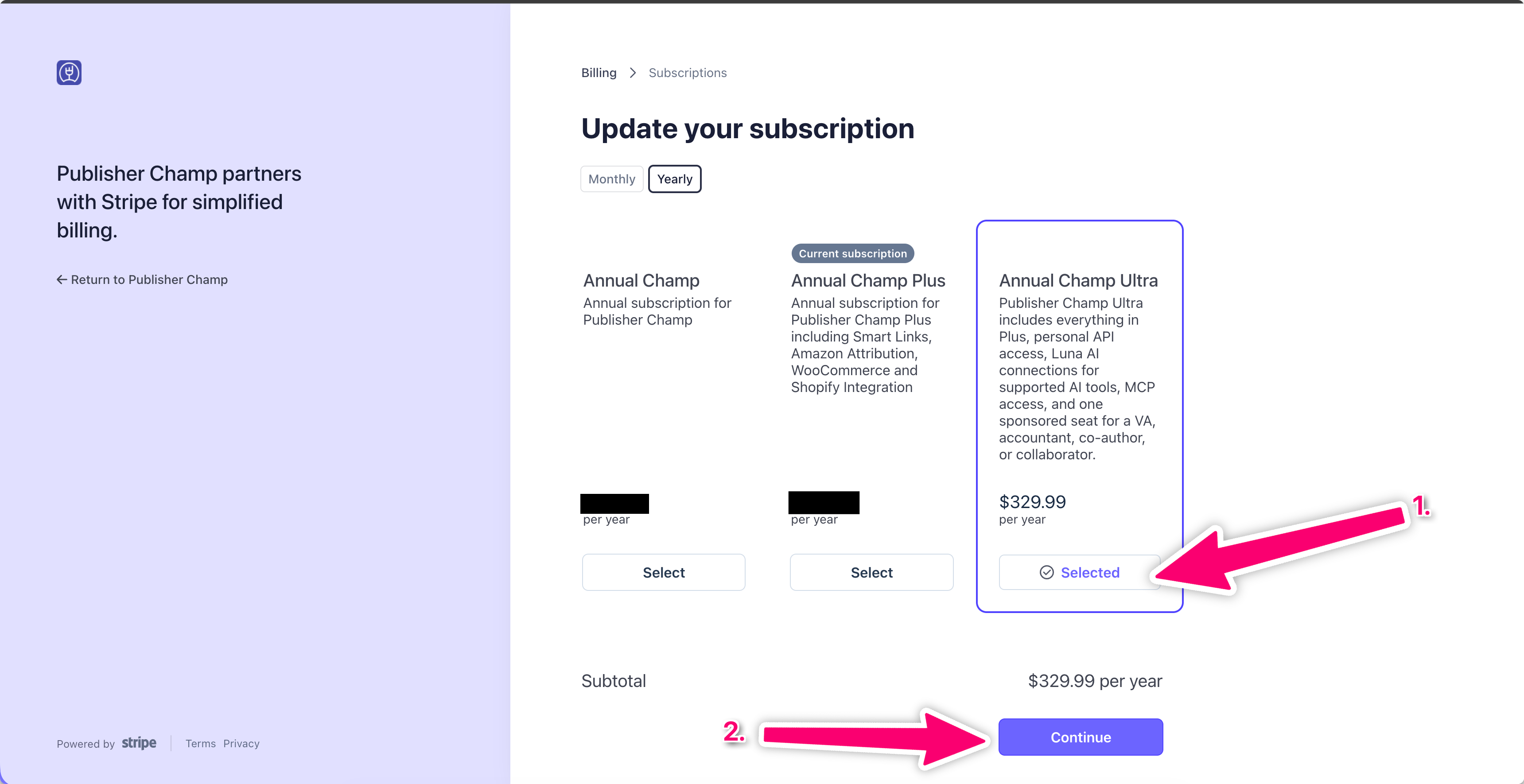
- Choose Monthly or Yearly.
- Find the corresponding Champ Ultra plan and select it.
- Select Continue.
4. Review and confirm
Review the new price, billing interval, and any immediate prorated charge or credit shown by Stripe. Confirm the change to complete your upgrade.
Return to Publisher Champ after confirmation. Your Membership page should show Ultra, and Ultra features such as personal API and MCP access will become available immediately.
Need help?
Contact us through Publisher Champ live chat or email support@publisherchamp.com.